Turn a video into a transparent GIF
Upload a video clip and download a looping GIF with no background, ready for stickers, chats and web pages. The GIF example below is a person; for an object, pet or cartoon choose that subject type before uploading.
Drop a video or GIF here
Free: up to 10 seconds · no signup · no watermark
MP4, MOV or animated GIF, up to 500 MB
One video up to 2 minutes · one-time payment, no subscription · no watermark
Pay $4.99 and remove the backgroundCheckout is handled by Waffo, our Merchant of Record. If processing fails, the payment is refunded automatically. Not happy with the result? Full refund within 7 days.
Uses one of your 3 free clips today.
Safari may show a black background in this preview; the downloaded WebM keeps the transparency.
More formats
Rendered from your result, usually in under 30 seconds. MP4 files keep the original audio.
Files are deleted automatically 24 hours after upload.
Recent clips
Example
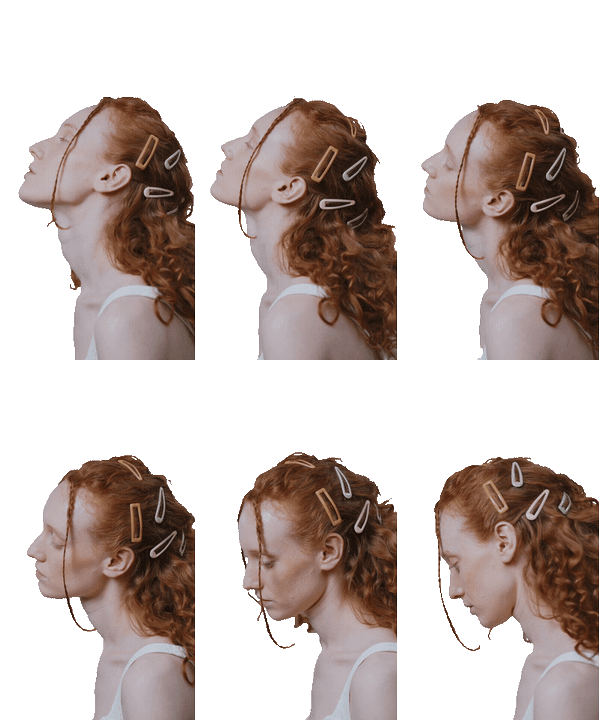
What to expect
- GIFs are made from the first 15 seconds, at 12 frames per second and 480 px on the short side, to keep files small.
- GIF supports only fully transparent or fully opaque pixels, so soft hair edges become harder than in the WebM. Use the transparent WebM when edge quality matters.
- GIF has no sound.
If you start from a GIF instead of a video, use the GIF background remover. Whatever tool makes it, a transparent GIF has 1-bit transparency: each pixel is fully transparent or fully opaque, so edges are always hard. From a GIF upload you can also download an animated transparent WebP, which keeps soft edges.
Specs
| Free tier | Clips up to 10 seconds, 3 clips per day, no signup, no watermark |
|---|---|
| Input | MP4, MOV or animated GIF, up to 500 MB. A GIF is converted to video first, then processed like any clip |
| Output | Transparent WebM (VP9 with alpha channel) at up to 1080p: clips larger than 1080p (for example 4K) are scaled down to 1080p before processing, smaller clips keep their resolution. With the original audio. Original frame rate up to 30 fps; free clips above 30 fps are processed at 30 fps |
| More formats | MOV ProRes 4444 with alpha for Premiere, DaVinci Resolve and Final Cut (first 60 seconds), alpha matte MP4, clean-edges WebM (steadier hair edges, less flicker), green screen MP4, white, black or any color background MP4, your own image as background, blurred background MP4, transparent GIF (first 15 seconds, hard edges), transparent WebP, animated (first 15 seconds, keeps soft edges) |
| Typical speed | Usually 15–30 seconds of processing for a 10-second clip, sometimes up to a minute |
| AI model | VEED video background removal (fast, edge refinement on), run on fal.ai |
| Best for | One clear subject. Two subject types, chosen before upload: Person (talking heads, presenters, dancers, hands and hair) and Object, pet or cartoon (the default for GIFs). Several moving subjects, caption text and thin line art can fail |
| Privacy | Free files are deleted 24 hours after upload; paid files 7 days after payment; or immediately with “Delete now”. No account: each clip has a private link |
| Longer clips | $4.99 per video up to 2 minutes (up to 3,600 frames), pay once, no subscription, free 5-second preview before paying, automatic refund if processing fails, full refund within 7 days if you are not happy with the result |
FAQ
Can I upload a GIF?
Yes. Upload an MP4, MOV or animated GIF. For GIFs, see the GIF background remover page: it covers what worked and what failed in our test, and when to download the GIF or the animated WebP.
Why does the GIF look less smooth than the video?
GIF is limited to 256 colors and hard-edged transparency. The transparent WebM keeps full quality.